Local-first · Private by design

Your second brain,
living on your own computer.

Feed it your chats, email, documents, recordings and screenshots as you go. It reads everything, remembers everything, and connects what you'd never connect yourself — and none of it ever leaves your machine.

Free to start · no account needed to use the brain · works fully offline — pull the network cable and it still answers.

Reads your chats in real time Answers with page numbers Finds things for you daily Data never leaves your computer

Everything becomes memory

Chats · Email · Books · Audio · Video · Screenshots — it takes it all

Every piece you feed it gets read, understood and linked — entirely on your own computer. Not one word is uploaded.

Chats · WhatsApp in one clickImport your whole WhatsApp history straight from WhatsApp Desktop — no file copying, no keys to transcribe. Who promised what, who's waiting on you, the detail you'd never recall: all remembered. (WeChat syncs live, too.)
Email · full importBring in your entire Gmail / IMAP history at once. Search it, question it, never dig through threads again.
Books & documentsPDF, EPUB, Word, PowerPoint — swallowed whole. Answers come back with the page number, ready to jump to.
Audio & videoMeeting recordings, podcasts and videos are transcribed automatically. Not a sentence gets lost.
Your everyday chat, looking ordinary
Could you send me the project proposal by Wednesday?
Sure — you'll have it before Wednesday.
You have to read "Thinking in Systems" — it completely changed how I plan.
And are we still on for the trip in March? We should lock the dates.
Second Brain
analyzes live
What your brain digs out — pure gold
Promise radarYou promised the proposal by Wednesday — tracked, with a reminder before the deadline.
Captured"Thinking in Systems" saved to your reading list — and linked to two older notes where you circled the same idea.
Won't slipThe March trip is still unscheduled — a gentle nudge is set so it doesn't quietly disappear again.
Ask laterMonths from now, ask "what did we decide about the proposal?" — the answer's already here, with the original message as its source.

All of this was already sitting in your chat history, unmined. Your messages are a gold mine nobody's digging.

It doesn't just store — it works for you

Three engines, watching every day

AskAsk anything in plain language — "what did that book say about focus?", "what did we agree on back in March?", "where's that quote about compounding?" The answer comes back with its exact source: the page, the message, the minute in the recording. One tap and you're there.
What did Dana quote for the redesign last spring?
Answer$4,800 — in her message on Apr 12
Source: WhatsApp · "Chat with Dana" · Apr 12 — tap to open the exact message.
RadarThe promises hiding in your messages — "I'll send it Monday", "let's revisit next quarter" — surfaced before they come due. No tagging, no manual reminders. It's the small promises that quietly decide whether people trust you.
PromiseYou said the proposal lands before Wednesday2 days left
Owed to youSam still hasn't sent the signed contract5 days
Loose end"Let's revisit next quarter" — the quarter just turnednudge?
ThreadsIt finds the connections you'd never connect yourself: a report from three months ago and a note from yesterday are the same thread — linked automatically and brought to you, no searching required.
Thinking in Systems.pdf↔Note · "re-org idea"82%
Both circle the same idea — the feedback-loop model on page 41 is exactly what your re-org note was reaching for.
SurfacedBrought together the moment you opened the note
Privacy is the baseline: chats are parsed on your own computer · plaintext is burned after reading · we never touch your passwords · delete everything with one click, any time.

Sound familiar?

Saved it — never saw it again.

The report a friend forwarded, the course you half-watched, the 47-minute meeting recording, the screenshot of a flash of inspiration — good things pass through your day. You saved them. They never got a second look.

Industry deep-dive.pdf09:30 · "worth a read," said your friendnever opened again
Meeting recording 47:1211:00 · "I'll write it up later"never played again
Long-read: Compounding13:20 · read halfway, hit savesank into the bookmark graveyard
Inspiration screenshot15:40 · a flash during a meetinglost among 8,000 photos
Course video · at 32:1519:00 · "I'll continue tomorrow"progress never moved
A decent idea23:00 · noted at the bottom of Notesforgotten by morning

That's one day: 6 valuable inputs — 0 ever used again. They should have been assets. Your second brain is built to catch them.

The single most powerful thing it does

It finds the faint threads across oceans of material.

A sentence from a two-year-old recording, page 7 of last year's report, a screenshot from last month, yesterday's note — each unremarkable alone. Connected, they're the answer. No human memory spans that far. It does.

421 connections — that's what one real user's 93 files grew into, automatically. Different years, different formats, one web of meaning.

You've been in these moments

When the moment comes, the work is already done.

"The deck is due tomorrow… I know I saved material for this."

It pulls every relevant page, recording and report from six months of your life, drafts the outline, and generates the deck or doc in one click.

an afternoon of digging20 minutes

"I've definitely seen this formula — which book was it?"

Just ask. The answer comes back with the book title and page number. One click and you're at the exact line you once read.

30 minutes of flipping3 seconds

"This new idea… I feel like I've thought about it before."

It reminds you: three months ago you had the same thought — and left three files behind. Now they finally connect.

inspiration slips awaystraight to output

How it works

A brain that's only yours, raised in your own home.

Other AI products pull your data to their cloud. Compound keeps the brain at your place: your phone captures, an encrypted relay passes things along without storing them, and everything lands only on your own computer.

Your phoneSnap, record, jot — feed it on the go
encrypted relay · nothing stored
Your computerThe brain lives here — always on, always yours

Getting started

Up and running in three steps.

No setup, no API keys, no account to use the brain. Install it, feed it, ask it.

1 · Install & open

Download the desktop app and open it. The OCR and the AI model are bundled in — nothing to configure, no key to paste. The brain is ready the moment the window opens.

2 · Feed it your first data

Import a WhatsApp export, drop in a few PDFs or photos, or connect your email. It reads and understands everything on your own machine — your first import is where the "oh, it actually remembers" moment lands.

3 · Ask it, or just let it work

Ask anything in plain language and get answers with sources — or simply leave it on, and the promises, threads and things you'd forget surface on their own. Add the phone app to feed it wherever you are.

Put it in your life

On your desk, and in your pocket.

One always-on computer is your second brain's home; your phone feeds it wherever you are.

New here? Read the getting-started guide →

Desktop

Local-first, always on, OCR and embedding models built in — not a word goes to the cloud. Lite suits most machines; HD excels at scans, complex layouts and tables (needs 16 GB RAM and a recent CPU). Full English UI included — switch languages any time in Settings.

Mobile

iOS · Android. Photos, voice notes, quick thoughts — capture anywhere, and it lands in your brain at home. Sign in with the same account and scan to pair.

Android · direct APKTap on your phone to install, or scan the QR code with your phone camera
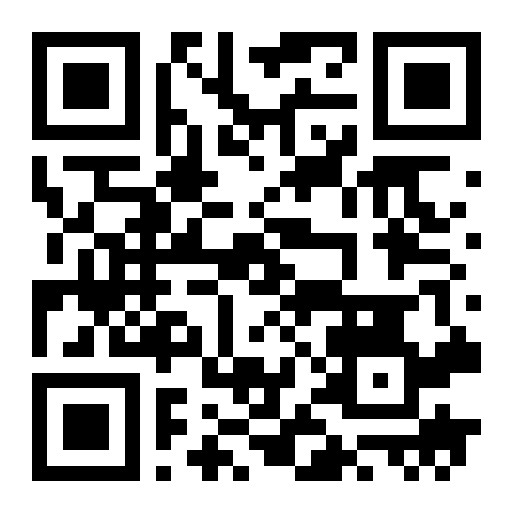
Android APK QR code Scan with your phone camera to download the latest Android APK directly.
iPhone · Download on the App StoreSearch "Compound" on the App Store, or scan the QR code with your iPhone camera
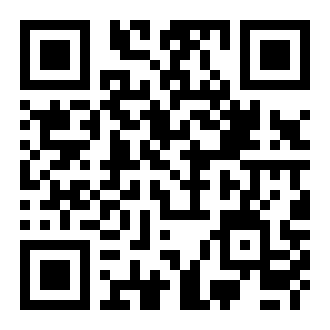
iPhone App Store QR code Scan with your iPhone camera to open Compound on the App Store.

Questions or early access requests: konghesmileface@gmail.com